Change the AfiFarm Language
AfiFarm is available in multiple languages. Change the display language at any time from the Units parameters.
To change the language:
-
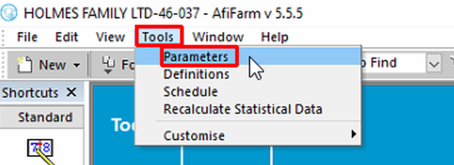
Click Tools.
-
Click Parameters.
-
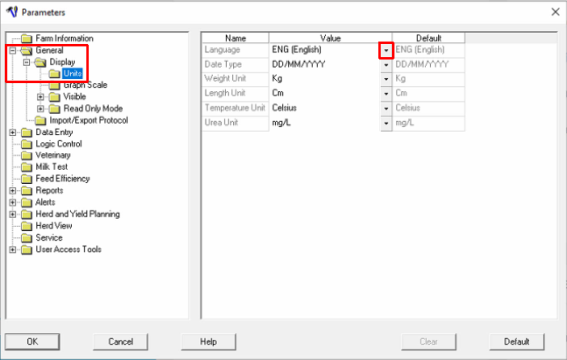
In the General folder, expand Display.
-
Click Units.
-
Click the languages drop-down menu, then select the language you want.
-
Click OK and wait while the new language loads.
